
PAN Card Name Correction Online: Steps, Documents and Fees
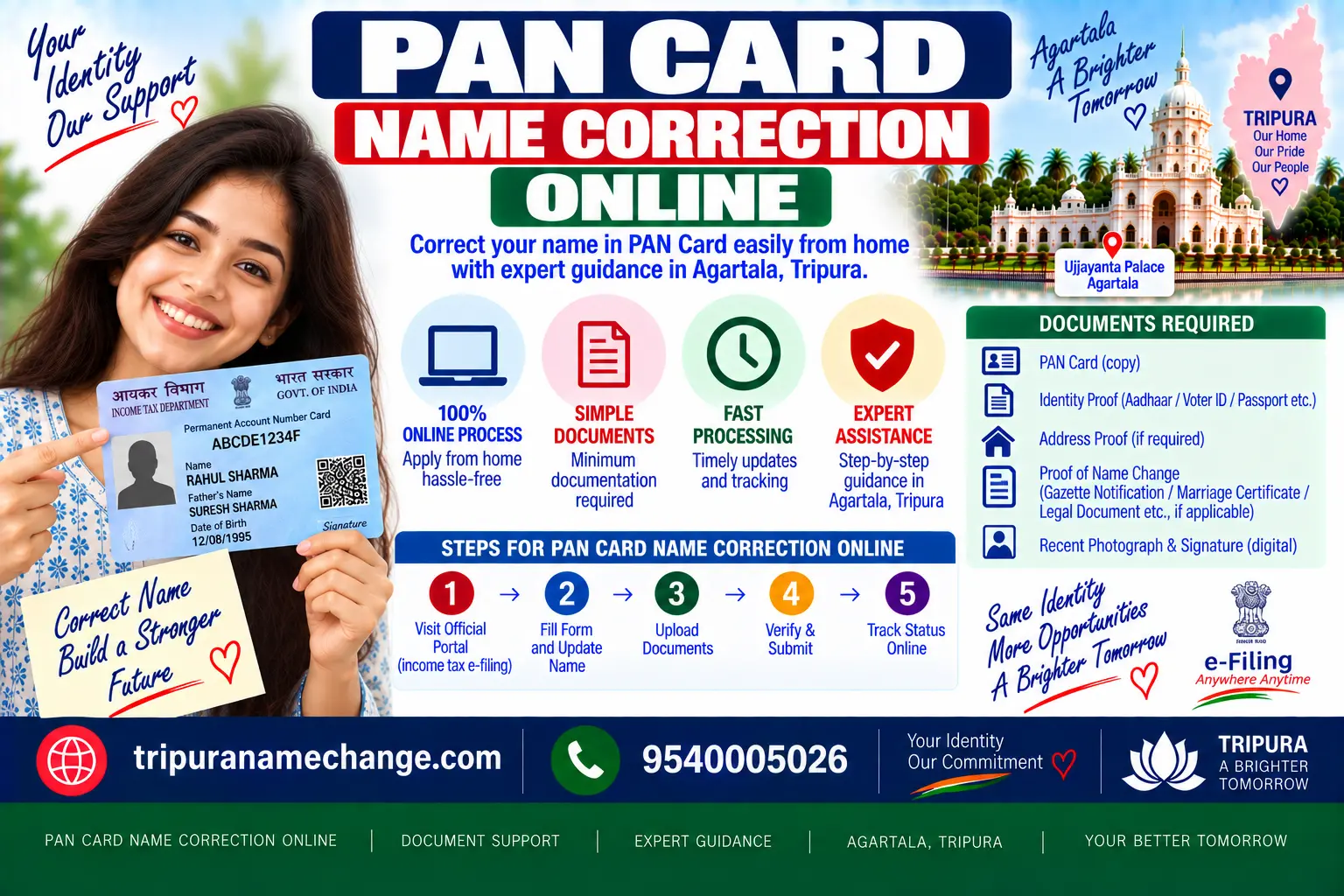
This is the hands-on page. The rules for which proof your case needs are on name change in PAN card; this page is the form itself, for a Tripura resident sitting at a phone: the screens in order on Protean and on UTIITSL, the three ways to submit and which to pick, every document by field with the scan and photo specifications the portals reject on, the fee for each output, the token and the 15-digit acknowledgement, the posting window if you choose the physical mode, how to download the e-PAN, and the rejection reasons that send people back to the start.
A PAN name correction is filed online on Protean or UTIITSL through the change or correction service: enter the existing PAN and save the token, tick the name field and type the name as on your proof, choose Aadhaar e-KYC, e-sign with uploaded documents, or the physical mode, upload the proofs to specification, pay the fee, commonly Rs 107 for a card in India, and e-sign or post the acknowledgement. Track the 15-digit acknowledgement; the e-PAN commonly arrives in 2 to 3 days and the card in 10 to 15.
The correction form at a glance
- Where
- Protean: changes or correction in existing PAN data. UTIITSL: change or correction in PAN card
- Token
- Issued after the first screen; lets you resume a half-finished form for a limited time
- Modes
- Aadhaar e-KYC and e-sign; scanned or DigiLocker documents and e-sign; physical, with the signed acknowledgement posted
- Fields
- Tick only what changes: name, father's name, date of birth, photograph, signature, address, contact
- Proofs
- Identity, address and date of birth, plus the name-change proof for the name field
- Specifications
- Photograph 3.5 cm by 2.5 cm, white background; signature in black ink in the box; scans clear, within the portal's size limits
- Fee
- Commonly Rs 107 with GST for a card in India; lower for e-PAN only; around Rs 1,000 for a card abroad; the portal shows the figure
- Acknowledgement
- 15 digits; the tracking number for status on the portal
- Physical mode
- Print, sign, paste the photograph, post to the provider within the window printed on the acknowledgement
- Output
- e-PAN by email, card by post, same PAN number
Key takeaways
- Choose Aadhaar e-KYC if Aadhaar already shows the right name; it fills the form, needs no upload and cannot mistype your name.
- Tick only the fields that change. Every ticked field needs a proof, and an unneeded tick is an unneeded rejection.
- Type the name exactly as the proof shows it, in the right boxes; the surname box and the given-name box are read separately.
- Scan the proofs to the portal's size limit and check the photograph and signature specifications before uploading; these are the two commonest rejections.
- Save the token and the acknowledgement; the token resumes the form and the acknowledgement tracks it.
- In the physical mode, post the signed acknowledgement within the window or the application lapses; the e-sign modes avoid the courier entirely.
Before you start a PAN correction online: three things to have ready
1. The proof, decided
Which document proves the name for your case: Aadhaar for a slip, the marriage certificate for a married surname, the Gazette for a change. Decided on name change in PAN card, not on the form.
2. The Aadhaar-linked mobile
Two OTPs in the e-KYC mode, one in the document e-sign mode. If the mobile is not linked to Aadhaar, use the document mode with a digital signature, or the physical mode.
3. Scans to specification
Proofs as clear PDFs or images within the size limit; a photograph and a signature image to the stated dimensions if you are not using e-KYC.
PAN correction on Protean, the screens in order
| Screen | What you do | Watch for |
|---|---|---|
| 1. Application type | Choose changes or correction in existing PAN data; category individual | Not "new PAN"; a second PAN is an offence |
| 2. Applicant details | Existing PAN, name as currently on PAN, date of birth, email, mobile | This is the old name; the new one comes later |
| 3. Token | Note the token number and the email it is sent to | Resumes the form if the session drops |
| 4. Submission mode | Aadhaar e-KYC and e-sign; scanned images and e-sign; or physical | Decides whether you upload anything |
| 5. Personal details | Tick the fields to correct; type the new name in the surname, first name and middle name boxes; father's name if ticked | Letter for letter as the proof shows; leave untouched fields unticked |
| 6. Contact and address | Confirm or correct the address for the card | The card posts here; an old address loses the card |
| 7. Documents | Select the proof for each ticked field and upload; photograph and signature in the document mode | Specifications below |
| 8. Declaration and payment | Declare, pay the fee online | The receipt is the fee proof |
| 9. e-sign or print | OTP e-sign; or print the acknowledgement for the physical mode | Download the acknowledgement either way |
PAN correction on UTIITSL, the screens in order
UTIITSL runs the same form with the screens in a slightly different order: choose change or correction in PAN card, pick the mode first (digital, with Aadhaar-based e-KYC and e-sign, or physical), then enter the PAN and the details, tick the fields, upload, pay and sign. Two UTIITSL habits are worth knowing: in the Aadhaar mode it takes the name from UIDAI and does not let you type a different one, which is the point, and its status page asks for the application coupon number printed on the acknowledgement. Either portal processes any PAN; the one named on the back of your card is usually a day or two faster.
The three PAN correction submission modes and which to pick
| Mode | Needs | Uploads | Pick it when |
|---|---|---|---|
| Aadhaar e-KYC and e-sign | Aadhaar in the wanted name; linked mobile | None; name, photo and address come from UIDAI | Aadhaar is already right; the fastest and cannot mistype |
| Scanned or DigiLocker documents and e-sign | Linked mobile; scans, photograph and signature to specification | Every proof, the photograph and the signature | Aadhaar is pending, or the proof is the Gazette or the marriage certificate |
| Physical | A printer and a courier | Scans, plus the signed acknowledgement posted with the photograph pasted | e-sign fails, or you prefer paper |
A digital signature certificate is a fourth option for people who hold one; most Tripura residents do not, and the e-sign modes replace it.
Documents for a PAN correction, field by field, with specifications
| Field | Proof | Note |
|---|---|---|
| Identity (always) | Aadhaar, passport, voter ID, driving licence | Aadhaar covers identity, address and date of birth together in most cases |
| Address (always) | Aadhaar, passport, voter ID, driving licence, bank statement, electricity bill | The card posts to the address on record |
| Date of birth (always) | Aadhaar with full date, birth certificate, Class 10 certificate, passport | Aadhaar with only the year does not prove it |
| Name, spelling slip | Any of the identity documents with the right spelling | See spelling correction |
| Name, after marriage | Marriage certificate; spouse's passport optional | See PAN after marriage |
| Name, change | Gazette of India, Part IV page | See Gazette name change in Tripura |
| Father's name | Aadhaar with the care-of line, marksheet, birth certificate | A Gazette never proves a father's name |
| Photograph | Recent colour photograph, 3.5 cm by 2.5 cm, white background, face clear | Document and physical modes only |
| Signature | Signed in black ink within the box, scanned to the stated size | A thumb impression needs a Magistrate's or Gazetted Officer's attestation |
Each portal states its file type and size limits on the upload screen; scan at the limit, not above it, and keep the whole page in frame. A blurred masthead on the Gazette page or a cropped seal on the marriage certificate is a rejection.
PAN name correction online, the whole thing in six steps
Proof and mobile ready
The document for your case, scanned; the Aadhaar-linked mobile in hand.
Open the correction service
Protean or UTIITSL; individual; existing PAN; save the token.
Tick and type
Name field, and only the other fields that change; the new name letter for letter in the right boxes.
Mode and uploads
e-KYC if Aadhaar is right; otherwise upload the proofs, photograph and signature to specification.
Pay and sign
Fee online; OTP e-sign; or print for the physical mode.
Track
15-digit acknowledgement; e-PAN in 2 to 3 days; card in 10 to 15.
The PAN correction fee for each output
| Output | Fee | Note |
|---|---|---|
| Physical card to an Indian address, plus e-PAN | Commonly Rs 107 with GST | The usual choice |
| e-PAN only, no card | Lower; commonly under Rs 75 | Where the portal offers it; you can order a reprint later |
| Physical card to a foreign address | Commonly around Rs 1,000 | NRIs and residents abroad |
| Reprint of the card later | A small reprint fee | Separate service on either portal |
| Gazette, only for a change of name | Commonly Rs 1,100 adult, Rs 1,700 minor, revised each financial year | Paid earlier on BharatKosh |
| Our service charge | None for a plain correction; the Gazette service where a change needs it | Separate line |
The providers revise the fee; the amount at the payment screen is the one that applies. Gazette stage fees are on time, fees and rejection reasons; packages on the services page.
Acknowledgement, tracking and the e-PAN
Every application ends with a 15-digit acknowledgement number on Protean, or a coupon number on UTIITSL, on a PDF you download and also receive by email. Track it on the same portal's status page, usually from the next working day. The stages are received, under process, dispatched. The e-PAN arrives at the email on the form, commonly 2 to 3 days after verification; open it with the password the email describes, save it, and check the name letter by letter. The card follows by post to the address on record, commonly 10 to 15 days. Once the e-PAN is in hand, refresh your income tax e-filing profile and, if you have not already, re-check the Aadhaar link on PAN and Aadhaar name mismatch.
The physical mode and its posting window
If you choose the physical mode, the portal still takes the form and the fee online, but the signature and the photograph go on paper. Print the acknowledgement, paste two photographs where marked, sign across the left one and in the box, attach self-attested copies of the proofs, and post the packet to the provider's address printed on the acknowledgement, with the acknowledgement number written on the envelope. The acknowledgement states the window for the packet to reach them, commonly a fortnight; a packet that arrives late is not processed and the fee is not returned. From Tripura, courier it the day you print, and keep the tracking slip. The e-sign modes avoid all of this, which is why they are the first choice.
PAN correction rejection reasons and the fix
| Reason on the status page | Fix |
|---|---|
| Name in the application does not match the proof | Reapply with the name exactly as the proof shows, in the right boxes |
| Photograph or signature not as per specification | Reupload at the stated size, white background, black ink; or switch to e-KYC |
| Document not legible or incomplete | Rescan the whole page at the size limit |
| Proof not acceptable for the field | Use a document from the list for that field; a wedding card or an affidavit is not one |
| Aadhaar authentication failed | Aadhaar not in the wanted name or mobile not linked; fix Aadhaar or use the document mode |
| Acknowledgement not received | Physical mode packet late or lost; reapply in an e-sign mode |
| Discrepancy in date of birth | Upload a full-date proof; Aadhaar with the year only does not serve |
Mistakes on the PAN correction form
The form
- Choosing new PAN instead of correction
- Typing the new name on the applicant-details screen, which wants the old one
- Ticking fields that do not change
- Surname in the first-name box
The uploads
- Scans over the size limit, or cropped
- Photograph with a coloured background
- Signature in blue ink or outside the box
- Posting the physical packet after the window
Central Gazette as the upload the correction form asks for
Everything on this page describes a form that asks you to attach proof. For a spelling slip the proof is easy, because some card of yours already shows the right version. For a change of name it is not, and applicants discover at the upload screen that they have nothing to attach. The Central Gazette is what fills that box: a notice published by the Government of India in Part IV of the Gazette of India, downloadable as a PDF, accepted as the proof of a change of name by the PAN service providers.
When the Central Gazette is the answer
| Your situation | Why the Gazette is what works |
|---|---|
| The upload screen asks for proof and you have none | The Gazette page is the document that goes in that box |
| Your application was rejected for want of acceptable proof | This is the commonest reason, and the Gazette answers it |
| You are changing the given name rather than a surname | No certificate covers it, so nothing else will be accepted |
| You want to fix PAN, bank and depository records together | One PDF serves each application in turn |
| You will apply from outside India | The published page is accepted by missions and foreign institutions too |
What a Gazette file contains, step by step
A complete file is five items long, and each one is checked at the counter. Preparing them in the right order saves a return journey, because a paper signed in the wrong name has to be redone from the beginning.
| Step | What is prepared | The detail that matters |
|---|---|---|
| Step 1 | The affidavit | Non-judicial stamp paper, notarised in person, naming you, your father's or husband's name and your full address, and declaring the change from the old name to the new one. Below it sits a verification clause giving the place and date, signed again. A minor's affidavit also states the child's date of birth. |
| Step 2 | The two newspaper notices | One Bengali daily and one English daily, identical wording, and the complete original page of each saved with the masthead and date. Cuttings are not accepted. |
| Step 3 | The CD certificate | A short declaration that the CD matches the hard copy, that you take responsibility for any mismatch and for the CD's quality, and that the file on it is in MS Word format. It is a separate signed page, not a line inside the affidavit. |
| Step 4 | The request letter | Addressed to the Controller, Publication Department, Civil Line, Delhi 110054, stating that the formalities are complete and the documents are enclosed, and asking for publication. |
| Step 5 | The proforma in duplicate | The notice for Part IV, worded as the Department requires, signed in your existing old name, with two witnesses each giving signature, full name and address. Two copies go in, not one. |
The signature on the proforma trips up more files than any other item. You are declaring that the person formerly called the old name has changed it, so the signature is made in that old name, and the new name appears only in the body of the notice.
What the papers actually say
Reading the form is quicker than any description of it. Below is the exact shape of the notice, with brackets where your details go.
The proforma, the page the Gazette prints
No. ADVT IV /
I, hitherto known as [OLD NAME], son of / daughter of / wife of [FATHER'S OR HUSBAND'S NAME], residing at [HOUSE, LOCALITY, TOWN, DISTRICT, TRIPURA, PIN], have changed my name and shall hereafter be known as [NEW NAME].
It is certified that I have complied with other legal requirements in this connection.
[OLD NAME]
(Signature in existing old name)
WITNESS NO. 1 Signature: Full Name: Address:
WITNESS NO. 2 Signature: Full Name: Address:
The newspaper notice, in both papers, word for word the same
NAME CHANGE NOTICE
I, [OLD NAME], son of / daughter of / wife of [FATHER'S OR HUSBAND'S NAME], residing at [FULL ADDRESS, TRIPURA, PIN], have changed my name and shall hereafter be known as [NEW NAME].
The complete set, with the affidavit, the CD certificate, the request letter and a worked Tripura example, is on the proforma format page. Send us your documents and we will prepare all of it rather than leave you to a typing shop.
How we file it while you stay in Tripura
The file is lodged at the Department of Publication, Civil Lines, behind the Delhi Vidhan Sabha Metro Station, Delhi 110054, the only office that accepts it anywhere in India, and our Delhi head office does that for you in person. Your two tasks stay in Tripura: sign the affidavit in front of a notary, and publish the notice in one Bengali daily and one English daily with identical wording, keeping both full original pages.
| Item | Detail |
|---|---|
| Government fee | Commonly Rs 1,100 for an adult and Rs 1,700 for a minor, paid only on BharatKosh, non-refundable, and revised each financial year, so we confirm it on the day of filing |
| Our service charge | A separate figure, told to you before anything is paid; we never mix it into the Government fee |
| What goes in the file | The prescribed form in two copies, an undertaking, a request letter to the Controller of Publications, a soft copy of the notice, identity of you and a witness, two photographs, and both complete newspaper pages |
| Publication | Part IV of the Gazette of India, commonly 30 to 45 days after filing, and 3 to 7 weeks from start to finish |
| Your copy | A free PDF from egazette.gov.in, digital only since October 2015, needing no attestation and never expiring |
The whole route is set out on Gazette name change in Tripura, the stage timings and the reasons files get rejected on time, fees and rejection reasons, and getting your published page on how to check status and download your copy. Once the PDF is in your hand, the correction form takes ten minutes. Call 9540005026 or send your documents on WhatsApp, and we will tell you honestly whether you need the Gazette at all.
PAN and Gazette words, explained
Terms that appear on the forms and in the offices, defined.
- Part IV
- The section of the Gazette of India that carries notices from private people rather than from the Government. A personal name change appears here and nowhere else.
- Proforma
- The typed page that becomes your Gazette notice. It is filed in two identical copies, signed in your existing old name, and witnessed by two people.
- Affidavit
- A written statement you swear is true before a notary. For a name change it records your old name, your new name, your parent's or husband's name, your address and the reason.
- BharatKosh
- The Non-Tax Receipt Portal at bharatkosh.gov.in, the only accepted channel for the Central Gazette fee.
- Protean and UTIITSL
- The two service providers that accept PAN applications and corrections. Either can process any PAN, whichever appears on the back of your card.
- Inoperative PAN
- A PAN that has not been linked to Aadhaar. No return can be filed, refunds are held and tax is deducted at a higher rate until the link is made.
- e-KYC
- Electronic verification through Aadhaar with an OTP on the registered mobile. Portals use it to pull your name rather than let you type it.
- UIDAI
- The Unique Identification Authority of India, which issues and updates Aadhaar. It accepts documents rather than declarations when a name is being changed.
- CD certificate
- A signed page declaring that the soft copy and the hard copy of your notice carry the same matter, that you are responsible for any mismatch and for the quality of the CD, and that the file is in MS Word format.
- Newspaper notice
- The same wording published in one Bengali daily and one English daily circulating in Tripura. The complete original page of each is kept, because a cutting is refused.
- One and the same person affidavit
- A short sworn statement that two named records belong to one person. Banks, colleges and employers usually accept it; UIDAI, boards, passport counters and recruitment panels do not.
- Department of Publication
- The office of the Government of India that publishes the Gazette, at Civil Lines behind the Delhi Vidhan Sabha Metro Station. It is the only office in the country that accepts a personal name change file.
PAN correction online from every district of Tripura
The form is the same from Agartala or Kanchanpur; only the courier in the physical mode takes longer from the far districts, which is one more reason to e-sign.
PAN correction online, the questions people search
Protean or UTIITSL?
Either. The one printed on the back of your card is usually a little faster.
Which mode should I choose?
Aadhaar e-KYC if Aadhaar is already right; document e-sign otherwise; physical only if e-sign fails.
What is the fee?
Commonly Rs 107 with GST for a card in India; less for e-PAN only; around Rs 1,000 abroad.
How do I track it?
With the 15-digit acknowledgement on Protean or the coupon number on UTIITSL, on the same portal's status page.
How long does it take?
e-PAN commonly 2 to 3 days after verification; the card 10 to 15 days.
What size photograph?
3.5 cm by 2.5 cm, white background; only in the document and physical modes.
Have the set checked before you pay
Send your PAN, Aadhaar and the proof you plan to upload on WhatsApp. We tell you the mode, the fields to tick, the exact name to type and whether the scans will pass. A plain correction is yours to file in ten minutes; where the correction is really a change of name, the Gazette is what we file first.
- 📞Call 9540005026
Monday to Saturday, 9 AM to 6 PM - WhatsApp 9540005064
Send your scans here, it is the fastest way - ✉️info@tripuranamechange.com
- 📍Tripura office: Associate Chamber at, Capital Complex, Agartala, Tripura - 799010
- 🏛️Head office: Metro Pillar 337, Hardev Nagar, Street 1, Shop No 1 (Shri Sham Documentation), Delhi 110084
PAN card name correction online, frequently asked questions
How do I correct my name on PAN online?
Which portal is better?
Which submission mode should I use?
What is the token for?
Which documents do I upload?
What are the photograph and signature specifications?
What is the fee?
How do I track the application?
How long does it take?
What is the posting window in the physical mode?
Why was my application rejected?
Can I correct the father's name and address at the same time?
People also search for: PAN correction online steps, PAN card correction documents list, PAN correction fee 2026, PAN correction status acknowledgement, PAN correction photo size, UTIITSL PAN correction coupon number, PAN correction rejected reason.
Official sources for PAN correction online
- Protean eGov Technologies, PAN servicesThe changes or correction service, document list, specifications, fees and status tracking.
- UTI Infrastructure Technology and Services, PANThe change or correction service, the Aadhaar-based mode and status by coupon number.
- Income Tax Department e-filing portalPAN services links, the profile refresh after correction and the Aadhaar link check.
- Department of Publication, Government of IndiaThe Gazette uploaded as the name-change proof; filed at Civil Lines, Delhi 110054.
PAN correction online, the short version
- Correction service, existing PAN, token; tick only what changes; name as the proof shows it.
- Aadhaar e-KYC if Aadhaar is right; otherwise document e-sign; physical last.
- Identity, address, date of birth proofs plus the name-change proof; photo 3.5 by 2.5 on white, black-ink signature.
- Commonly Rs 107; 15-digit acknowledgement; e-PAN in 2 to 3 days, card in 10 to 15.
- Physical packet inside the window, or it lapses.
Right mode, right scans, one submission
Send the set on WhatsApp and we tell you what to tick, what to type and what to upload before you pay the fee.